How Glass Can Cause Problems in Point Cloud Data
Written by: S. Cavanagh | Published 14th September 2026
Point cloud data gives project teams an accurate digital record of an existing building, but not everything captured by a laser scanner necessarily represents physical geometry.
One of the biggest challenges can be glazing.
On projects with large areas of glass, reflections can introduce misleading points into the scan data. If these are not identified before modelling begins, there is a risk of creating elements within the Revit model that simply do not exist.
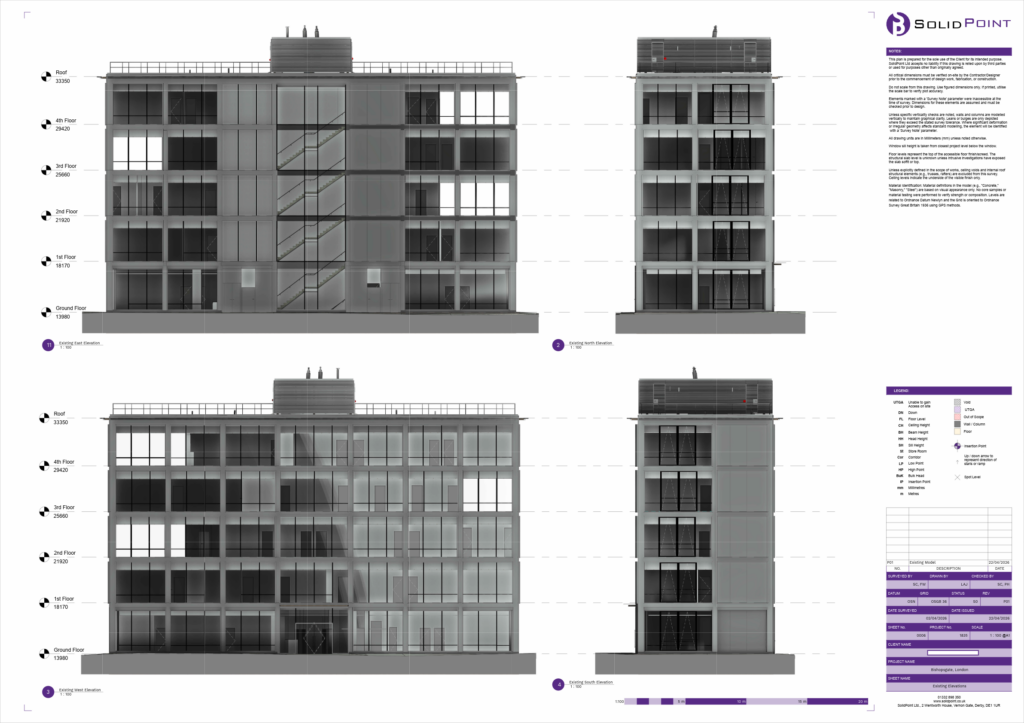
This is something we've had to manage on recent projects, including Bishopsgate, where extensive areas of glazing meant the point cloud needed to be carefully reviewed before it could be used as the basis for the Revit model.
Bishopsgate, London
Measured building survey in Bishopsgate, London to provide reliable as-built information for redevelopment planning.
Why does glass cause problems in point cloud data?
Laser scanners work by emitting a laser and measuring the signal that returns to the instrument. Most solid building surfaces provide a relatively straightforward return. Glass is more complicated.
Depending on the angle, type of glazing and surrounding environment, the scanner may capture:
-
- Reflections from surfaces in front of the glass
- Reflected geometry from elsewhere within the building
- Points appearing to sit behind or beyond the glazing
- A combination of genuine building geometry and reflected data
When looking at the complete point cloud, some of these reflected points can appear convincing, which becomes particularly important when the scan is being used to create an as-built Revit model.
What happens if reflections are not identified?
The purpose of a measured survey and Revit model is to give architects, designers and other project teams reliable information about the existing building. Simply modelling everything visible within the point cloud can therefore cause problems.
Reflections may appear as walls, structural elements or other surfaces despite those features not being physically present. If these false points are interpreted as genuine geometry, inaccurate elements can make their way into the finished model.
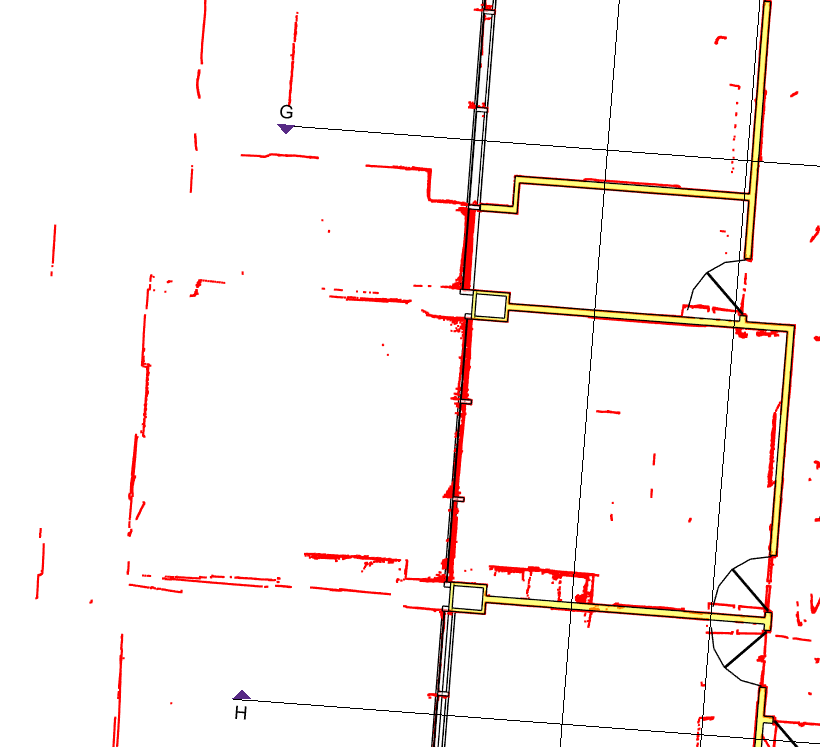
This is especially important when the Revit model is going to become the starting point for future design work. Decisions could then be made using geometry that does not accurately represent the building.
The challenge is therefore not simply capturing more data. It's understanding what the scanner has captured and why.
How do you deal with reflections in point cloud data?
The first step is careful analysis of the point cloud.
Our team reviews the survey data to identify areas where glazing may have affected the scanner readings. Rather than relying on an individual group of points in isolation, we compare them against the wider survey.
This can include looking at:
-
- Surrounding walls and structural geometry
- Data captured from alternative scanner positions
- The relationship between internal and external surfaces
- Additional survey observations collected on site
- Other areas of the point cloud that help confirm the building layout
By using the wider survey information, we can distinguish between what the scanner appears to see and what is actually there.
Once reflected data has been identified, it can also be separated or hidden within the point cloud to make the modelling process clearer.
How to remove or hide reflections within the point cloud
Here's a handy step-by-step guide on how to clean up your point cloud data in Recap:
Download this guide
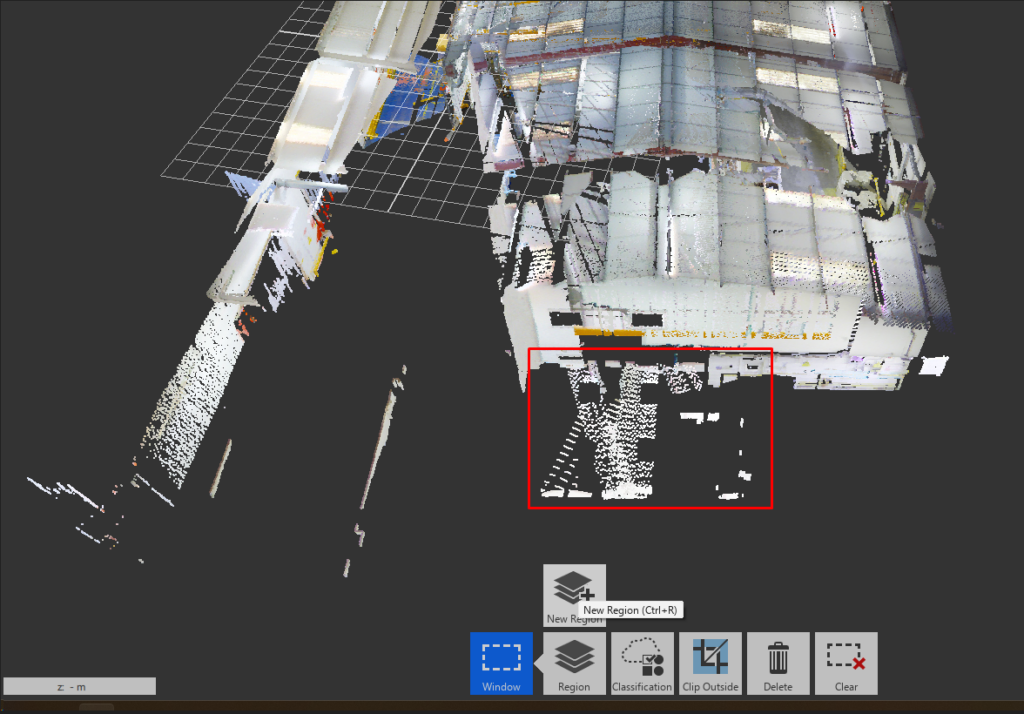
Step 1: Select the affected area
Open the point cloud and identify the area containing the points you want to remove or hide.
These might be points appearing on the wrong side of a glazed surface or geometry that does not correspond with the surrounding building.
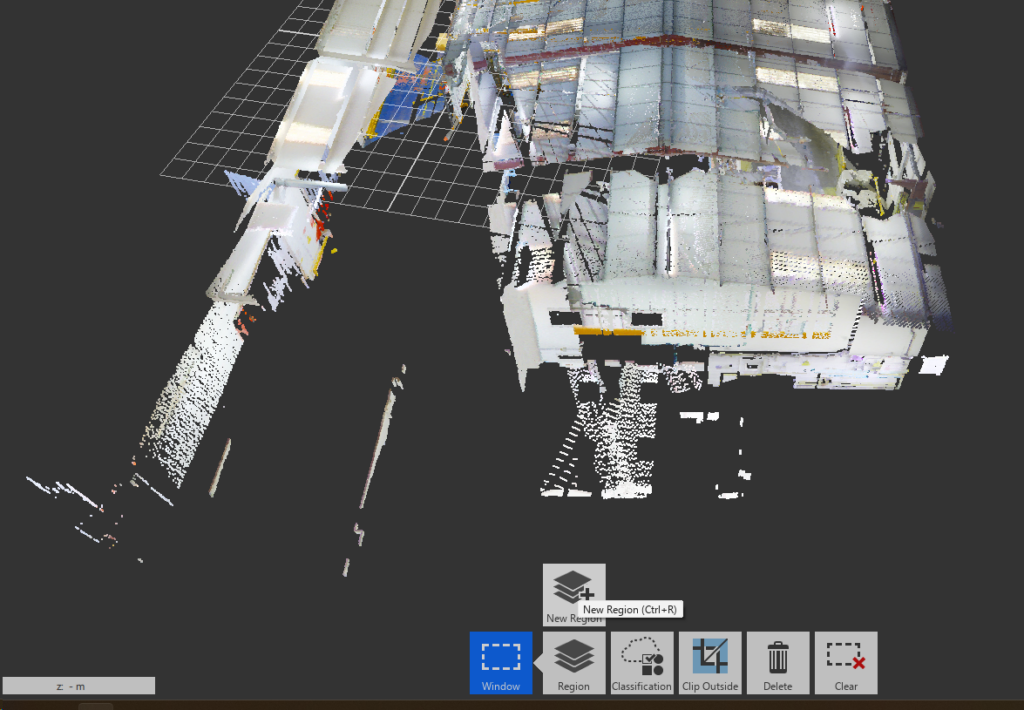
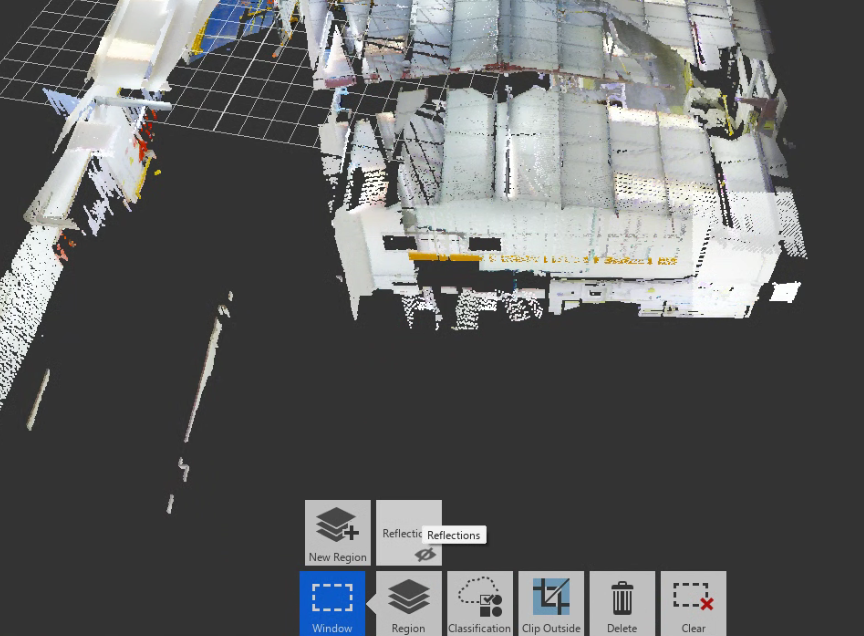
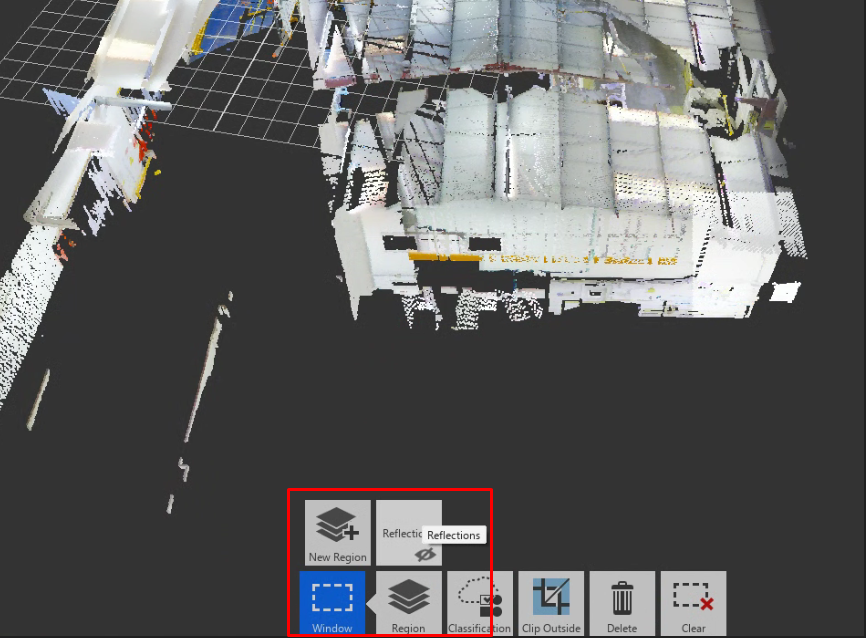
Step 2: Create a reflections region
Hover over the Region tool and select New Region.
Create a dedicated region and name it something clear, such as Reflections.
This allows questionable points to be separated from the main survey data rather than permanently deleting information immediately.
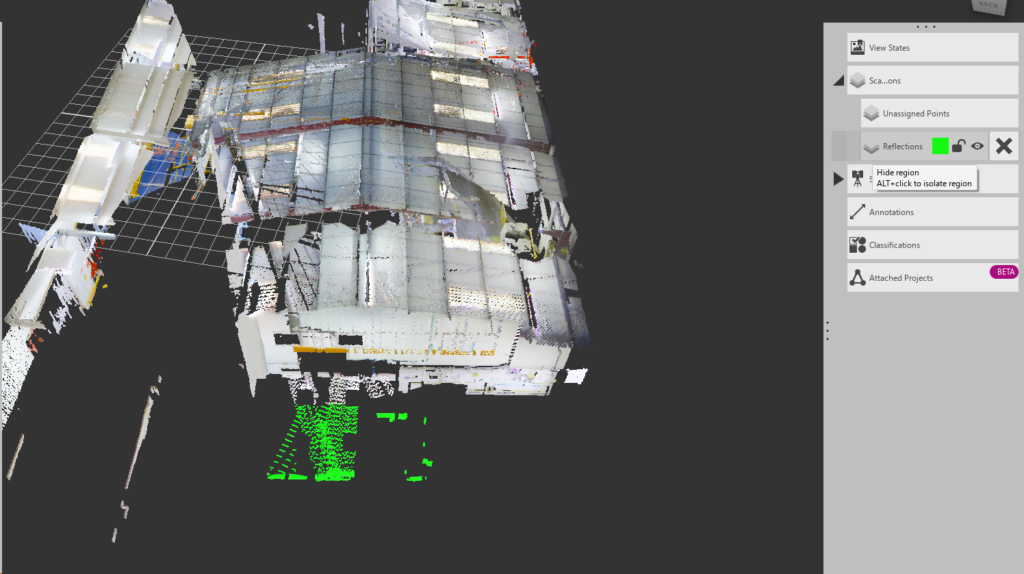
Step 3: Move reflected points into the new region
Select the areas of reflected data that you want to remove from view.
Hover over Regions again and assign the selected points to the Reflections region created previously.
Step 4: Hide the reflections
Go to Scan Regions and use the eye icon next to the Reflections region to switch its visibility off.
The reflected points are then hidden, leaving a cleaner point cloud that is easier to interpret and use during the modelling process.
Why we prefer to hide the data rather than simply delete it
Separating reflected points into their own region gives the modeller more control. Instead of permanently removing data as soon as something looks incorrect, it remains available if it needs to be reviewed later.
This is useful when comparing different scan positions or checking a complicated section of the building. It also creates a clearer distinction between the raw surveyed information and the data that has been excluded from the modelling process following further assessment.
Point cloud processing is about more than cleaning data
Removing reflections might seem like a small part of creating a Revit model, but it highlights an important part of the surveying process. A laser scanner captures an enormous amount of information, but good survey deliverables still rely on experienced interpretation.
Glass, reflective surfaces, restricted access and complicated building geometry can all affect what appears within a point cloud. The modeller therefore needs to understand the survey data rather than treating every captured point as unquestionable geometry.
By carefully checking areas affected by glazing, using information from across the survey and separating misleading reflections, we can create Revit models that provide a much more reliable representation of the existing building.
That gives architects and design teams a stronger starting point for the decisions that follow.
Conclusion
A good Revit model doesn't simply reproduce the point cloud - it interprets the point cloud to accurately represent the building.
At SolidPoint, we help architects, developers, contractors, and building owners reduce risk and improve project efficiency through accurate surveying and BIM solutions. From measured building surveys and laser scanning to Revit modelling, our team delivers reliable data that supports successful project outcomes across the UK.
Stay updated with us:
How Can SolidPoint Help Your Project?
At SolidPoint, we are passionate about providing accurate and efficiently collected data for our clients and have worked on numerous projects across the UK. If you are looking to commission a survey in your next project, please don’t hesitate to Get in touch with a member of our friendly team to discuss your requirements and get a free quote.
Alternatively, you can call us on 01332 898350 or email us at projects@solidpoint.co.uk for more information on our services. We look forward to hearing from you!
Give us a call on
Request a Free Quote






Trusted Suppliers for: